- Delivery time:
- Order number: 111292
- Weight: 0.86 kg
- EAN: 9007947156136
- Manufacturer's no.: 4,240,125
- Collection possible: Self-Collection is currently not available.
Delivery time on request!
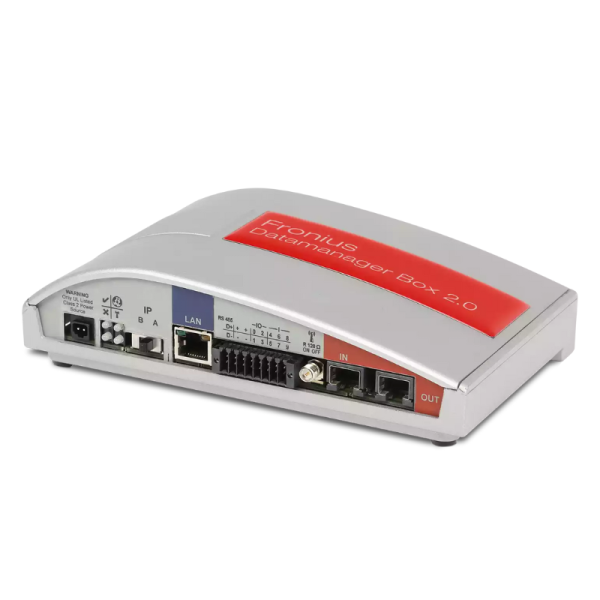
Fronius Datamanager Box 2.0 with WLAN 4,240,125
The Fronius Datamanager Box 2.0 is the central communication and monitoring unit for Fronius inverters. It enables reliable monitoring, analysis and visualization of photovoltaic systems and acts as the interface between the inverter, Fronius Solar.web and external energy management systems.
With integrated network functions such as Ethernet and WLAN, the Datamanager Box 2.0 can be flexibly integrated into existing networks. It supports multiple communication protocols and is ideally suited for residential and commercial PV installations.
Features:
- Communication and monitoring unit for Fronius inverters
- Connection to Fronius Solar.web for system monitoring
- Supports Ethernet and WLAN communication
- Interface for energy management and system integration
- Suitable for residential and commercial PV systems
| Technical Data | |
| Product type: | Communication and data manager |
| Manufacturer: | Fronius |
| Model: | Datamanager Box 2.0 |
| Part number: | 4,240,125 |
| Communication: | Ethernet, WLAN |
| Compatibility: | Fronius inverters with Datamanager interface |
| Application: | PV monitoring and energy management |
Fronius International GmbH
Froniusstraße 1
4643 Pettenbach
Österreich
contact@fronius.com
www.fronius.com
Fronius Deutschland GmbH
Fronius Straße 1
36119 Neuhof-Dorfborn
Deutschland
pv-sales-germany@fronius.com
www.fronius.com/de-de
Safety Instructions:
1. Installation by Qualified Personnel: The installation of smart meters must only be carried out by qualified electricians or authorized professionals.2. Power Circuit Disconnection: Before installation, the power circuit into which the smart meter will be integrated must be completely disconnected and checked for powerlessness.
3. Ensure Proper Grounding: Verify the proper grounding of the system before connecting the smart meter.
4. Select Installation Location: Install the device only in a safe, well-ventilated, and dry indoor area that meets the manufacturer's installation requirements.
5. Correct Cable Connection: Use only manufacturer-recommended cables and connections, ensuring correct polarity and secure contacts.
6. Danger from High Voltages: Smart meters are integrated into power circuits that may be live. Avoid any contact with open connections or wires.
7. Use Proper Circuit Protection: Connect the smart meter only to power circuits with appropriate protective switches (e.g., residual current devices (RCDs) or circuit breakers).
8. Check Insulation: Inspect cable insulation and connection status before commissioning to avoid short circuits.
9. No Modifications: Do not alter or modify the smart meter or its wiring.
10. Avoid Overloading: Do not exceed the manufacturer's specified maximum current load for the smart meter.
11. No Unauthorized Modifications: Unauthorized alterations, modifications, repairs, or opening of the product are strictly prohibited.